
How to Fix Pokémon Center Error 15 (Complete Guide)

If you’ve encountered Pokémon Center Error 15, you’re not alone. This frustrating error usually appears when trying to access the Pokémon Center website or log into your account, preventing you from browsing products, placing orders, or checking your purchase history. In most cases, Error 15 is related to security systems that mistakenly identify your connection as suspicious.
Fortunately, the problem is often easy to fix. This guide explains what Pokémon Center Error 15 is, why it happens, and how to fix Pokémon Center Error 15 using several proven solutions.
1. What Is Pokémon Center Error 15?
Pokémon Center Error 15 is a security-related error generated by the website’s protection system. Instead of loading the page normally, you may see a message similar to:
Access Denied (Error 15)
Your request has been blocked due to security reasons.
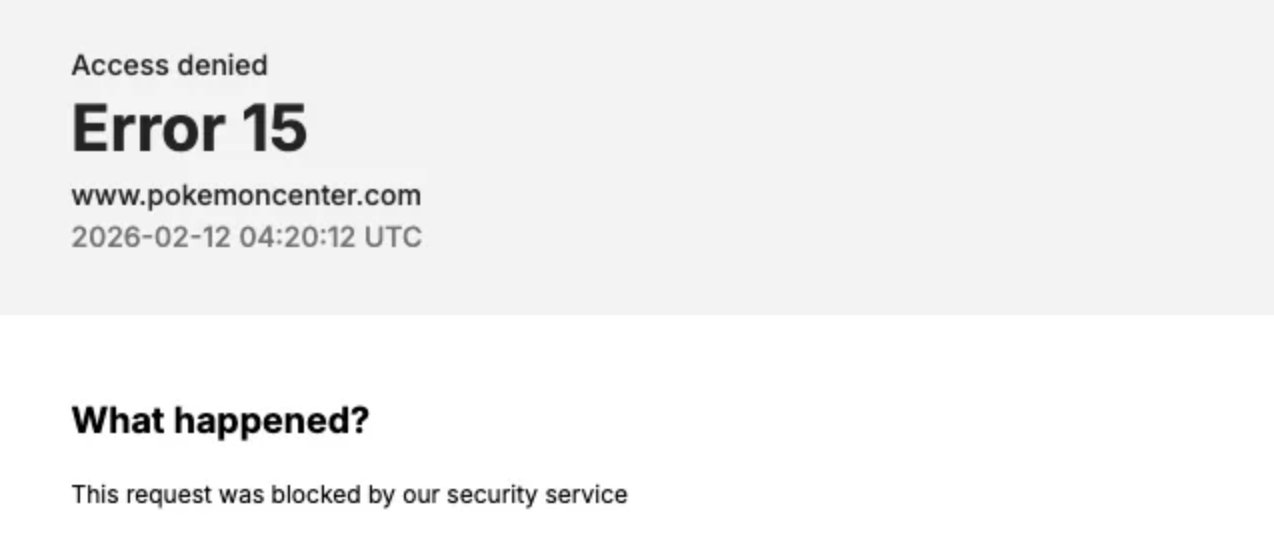
This doesn’t necessarily mean you’ve done anything wrong. The website’s security service may temporarily block your connection if it detects unusual traffic or network activity.
Common causes include:
- Using a VPN or proxy server
- Browser cookies or cached data causing conflicts
- Suspicious IP addresses
- Browser extensions interfering with requests
- Temporary server-side security restrictions
- Network configuration issues
The good news is that most users can resolve the issue within a few minutes.
2. How to Fix Pokémon Center Error 15?
You can try the following solutions one by one until the Pokémon Center error 15 disappears.
2.1 Disable Your VPN or Proxy
VPNs and proxy servers frequently trigger website security systems because many users share the same IP address.
To test this:
- Disconnect your VPN.
- Disable any proxy settings.
- Refresh the Pokémon Center website.
If the site loads normally afterward, your VPN was likely the cause.
2.2 Clear Browser Cache and Cookies
Corrupted cookies or outdated cached files may prevent the website from loading correctly.
Steps:
- Open your browser settings.
- Clear cookies and cached images/files.
- Restart your browser.
- Visit the Pokémon Center website again.
You’ll need to sign back into your account afterward.
2.3 Try a Different Browser
Sometimes browser extensions or browser-specific issues interfere with secure connections.
Try opening the site in:
- Google Chrome
- Mozilla Firefox
- Microsoft Edge
- Safari
If it works in another browser, consider disabling extensions one by one to identify the culprit.
2.4 Use Incognito or Private Browsing Mode
Private browsing starts with a clean session, ignoring most stored cookies and extensions.
Open an Incognito or Private window and visit the Pokémon Center website again.
If the error disappears, clearing your regular browser data will likely fix the issue permanently.
2.5 Restart Your Router
Your public IP address may have been temporarily flagged.
Restarting your modem or router can sometimes assign a new IP address from your internet provider.
After reconnecting:
- Restart your browser.
- Reload the website.
2.6 Switch Networks
If restarting doesn’t help, try using another internet connection.
For example:
- Mobile hotspot
- Different Wi-Fi network
- Office or school connection
If the website loads on another network, your original IP address is probably being blocked temporarily.
2.7 Disable Security Extensions Temporarily
Privacy extensions can occasionally block scripts required by the Pokémon Center website.
Temporarily disable extensions such as:
- Ad blockers
- Privacy blockers
- Script blockers
Refresh the page to see whether the issue is resolved.
2.8 Wait and Try Again Later
Sometimes the website temporarily blocks requests after detecting too many visits in a short period.
Simply waiting 30–60 minutes before trying again often resolves the issue automatically.
2.9 Contact Pokémon Center Support
If none of the above methods work, contact Pokémon Center customer support.
Include:
- A screenshot of Error 15
- Your browser and operating system
- Whether you’re using a VPN
- The approximate time the error occurred
This information helps support investigate whether your IP address has been mistakenly blocked.
3. Bonus: One-Click Fix Pokémon GO Location with Location Spoofers
While Pokémon Center Error 15 relates to website access, many Pokémon fans also search for easy ways to change their GPS location in Pokémon GO.
Instead of physically traveling, a location spoofer like Tenorshare iAnyGo and AimerLab MobiGo lets you simulate movement with just a few clicks.
Popular features include:
- One-click GPS teleport
- Route simulation
- Joystick movement
- Multi-spot routes
- Support for the latest iOS and Android versions
These tools can be useful for testing location-based apps, protecting location privacy, or exploring different in-game areas without leaving home.
4. Conclusion
Pokémon Center Error 15 is usually caused by the website’s security system blocking your connection rather than an issue with your account. In most cases, disabling your VPN, clearing browser data, switching networks, or restarting your router will solve the problem quickly.
If the error persists after trying every fix, contacting Pokémon Center support is the best next step.
For Pokémon GO players, a reliable one-click location spoofer offers an easy way to simulate GPS movement for testing or convenience. Just remember to use these tools responsibly and understand the policies of any app or game before changing your location.


